Service Metrics#
A means for viewing analytics about your ServiceFabric inventory, such as the performance of ports, links, connections, and virtual routers. Additionally, you can create reports based on your inventory to assess performance and address concerns.
Metrics for Port, Link & Conncections and Virtual Routers#
- Select the Usage Icon from the Navigation Panel and the Usage Dashboard is displayed.
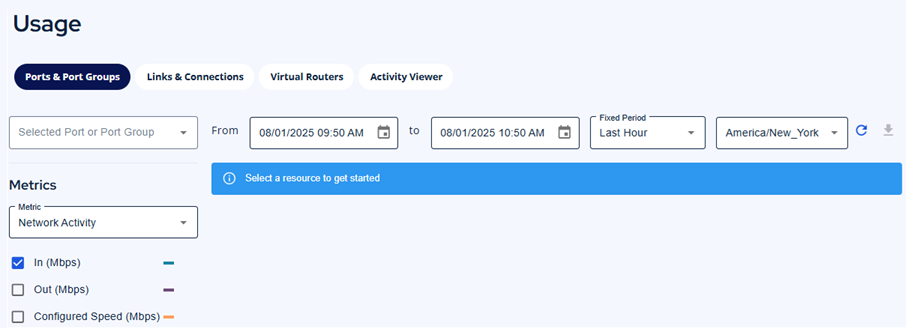
- Pick which metrics to view from the tabs located along the top:
- Ports and Port Groups
- Links and Connections
- Virtual Routers
- Activity Viewer
- Choose the metrics category you want to view; traffic, packets, optiocal, or errors.
- Additionally, you can alter the date range or the intervals at which your data is displayed.
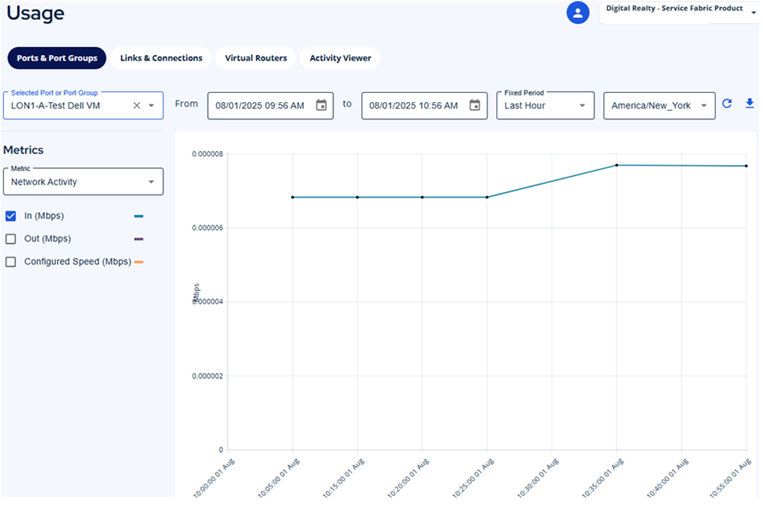
- To obtain your metrics in a csv file, just click the doanload button on the right-hand side. The refresh icon, located beside it, will refresh the data and retrieve newer values.

Activity Viewer#
Activity Viewer gives the user access to the audit log in a readable and searchable format.
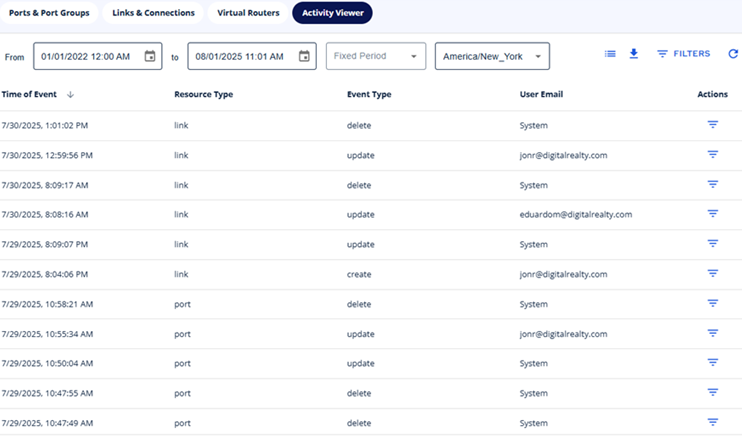
Using the Activity Viewer action menu, you can enter filters to find the data you want. You can also remove any column through the column picker.

Features:
- Choose which columns are visible
- Download the current view in CSV or JSON format.
- Use the built-in filters for ServiceFabric and drill down to see only the results you need.
- Select a date range to narrow your results.
- Refresh your data whenever you need it.
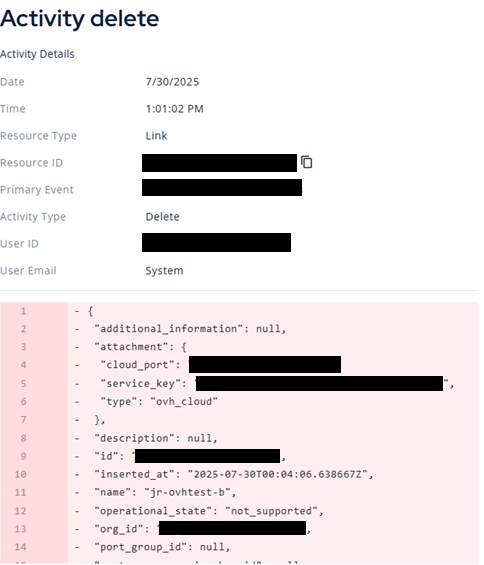
To read more details for each entry, click the row and a details pane will open:
System Logs#
ServiceFabric now offers the ability to search for and read operational data from your services. Adding to the recent release of the Activity Viewer feature, System Logs give the user access to more than just the orchestration data in a new tab. Includes items such as:
- Operational state changes for ports and LAGs.
- Operational state changes for VXCs.
- Operational state changes for VRs.
- Other error states for SF products.
- Virtual router errors.
- Virtual router setting changes.
- Virtual Router BGP errors.
- VXC setting changes.
When troubleshooting an issue with networking, it's useful to have deeper insights into the states and statuses generated by ServiceFabric assets. When troubleshooting things like your virtual router it's helpful to see errors for features such as BGP. Being able to search for events or status changes by name or type decreases the need for trouble tickets with the GCC.
To use system logs, select the tab under Usage. Search, filter, or drill down into specific messages all from the provided interface. Change your dates ranges to narrow down the results. Create filters to exclude unwanted results.