Pricing Estimator#
View the pricing for your service configurations. View rates for individual services or groups of services to calculate your costs.
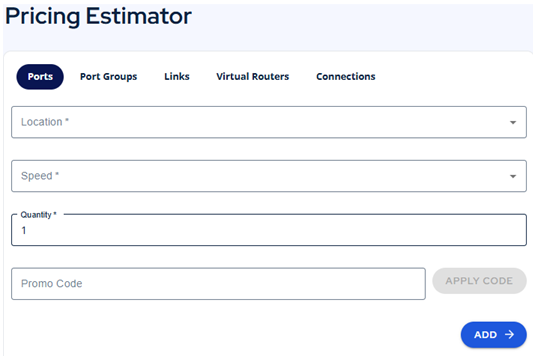
- Click the Pricing Estimator icon on the left navigation panel.
- Add service(s) that you need.
- Enter the quantity.
- Enter a promo code to see how it affects the price.
- Click the ADD button at the bottom of the form.
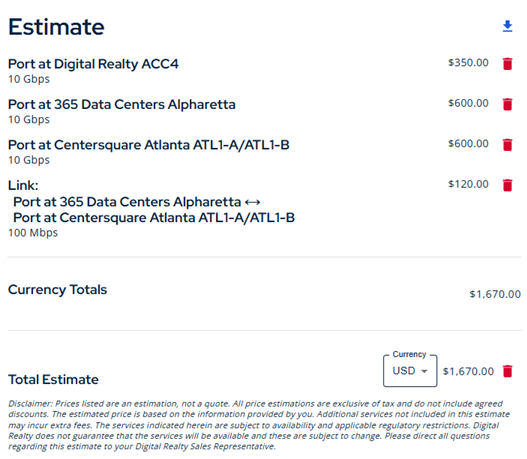
- See the estimated costs per service, service group, and totals.
- Modify the currency by changing it at the bottom by the Total.
- You can remove any line item by clicking the trashcan icon.
- Remove all line items by clicking the trasjcar to the right of the total.
- Click the download icon to download a PDF of your quote.