Navigating the ServiceFabric® Portal#
Once logged in, the Dashboard will show you your Active Services. From here you can navigate to your Inventory or Service Builder.
Dashboard (Active Services)#
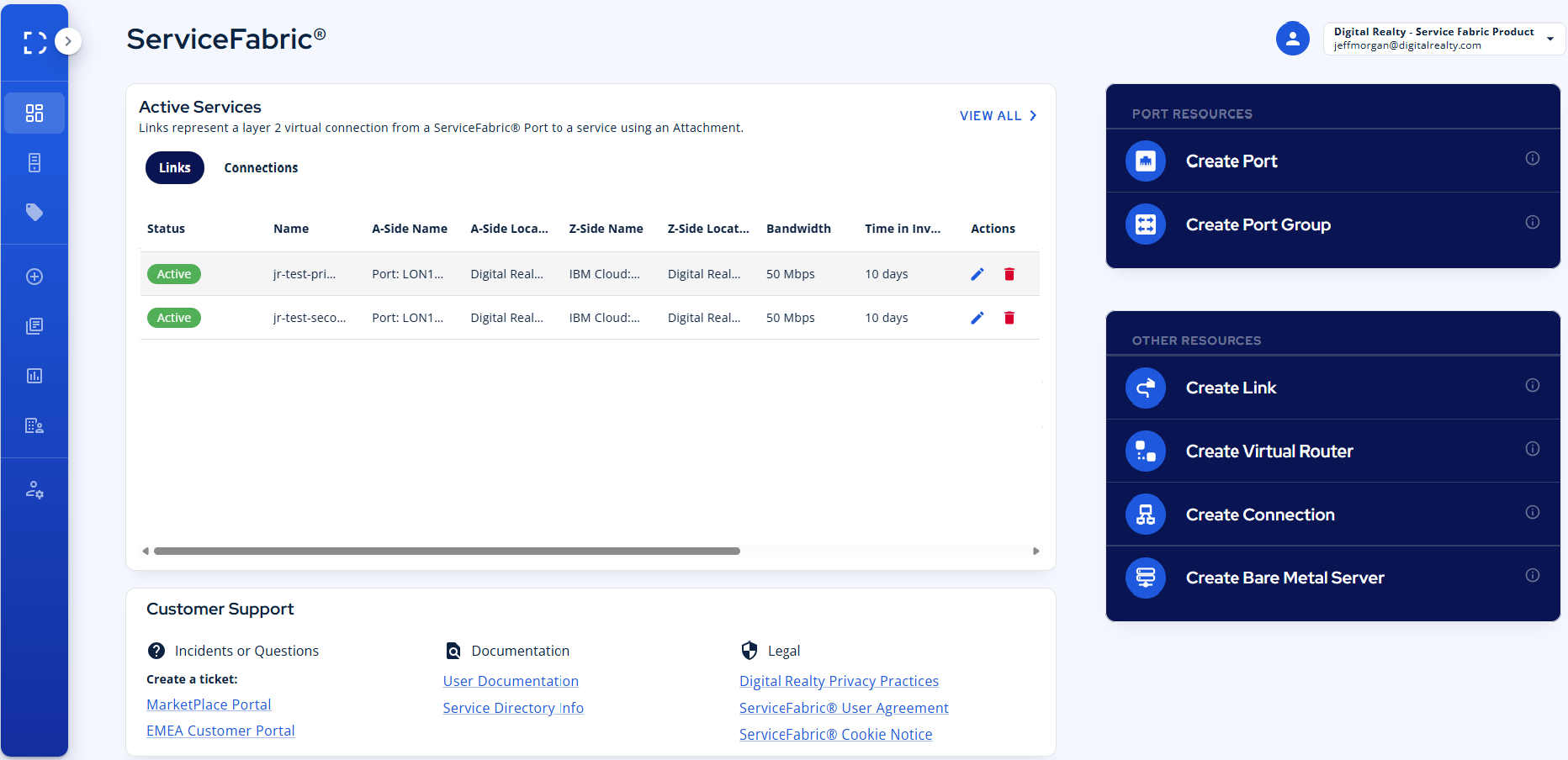
When you first use the portal, you are directed to the dashboard. The major feature of this page is a tabular overview of all configured services, including their current state, as well as quick access to Service Builder (on the main screen and on the left navigation pane), which enables you to construct new service pieces and services.
Quick Menu#
On the right side of the portal you'll find a quick menu of the most used features. These features can be found in the Service Builder as well, which is located in the Navigation Panel on the left.
Navigation Panel#
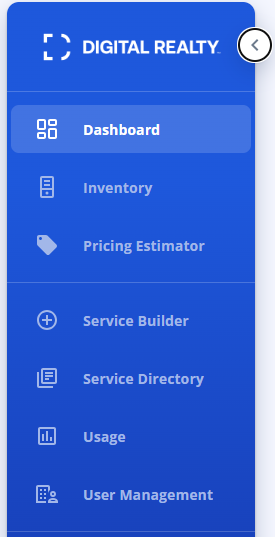
The navigation panel is your guide to all t he things you can do with the ServiceFabric portal. Quickly return to the dashboard or Inventory. Build new services with Service Builder. Price out different sceanrios with our Pricing Estimator. Search for new services to consume in our Service Directory, filled with partners and cloud services.
All are easily accessible via the navigation panel on the left of the dashboard. It starts in a collapsed state, but you can expand it by clicking the expand button at the top.