Cloud Examples#
When creating a Link or Connection to one of ServiceFabric's cloud onramp providers, you'll need to bring with you some additional information. Below are examples of what is needed for each cloud provider.
AWS Configuration#
In terms of configuration, AWS is different from other cloud service providers. The general configuration steps are as follows:
- The cloud connection must be established first before configuring cloud resources.
- You must provide an Account ID and then select an available AWS cloud port attachment site from the options provided.
- Once connected, cloud resources can be configured and must then be attached to the existing cloud connection.
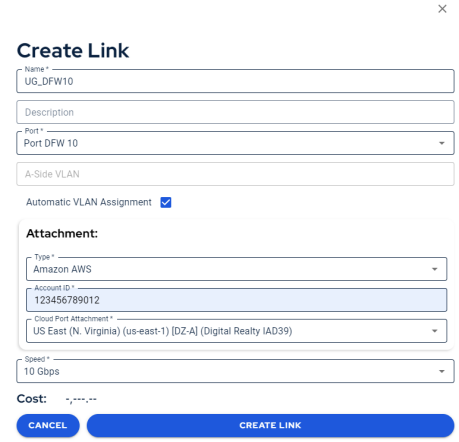
- To delete the cloud connection, you must first delete the cloud resources, delete the virtual interface, and then delete the cloud connection or you will receive an error code.
AWS BGP Example#
There are a few settings you must get right when setting up a BGP connection between your ServiceFabric virtual router and AWS. First, take note of your Peering settings in the AWS console:
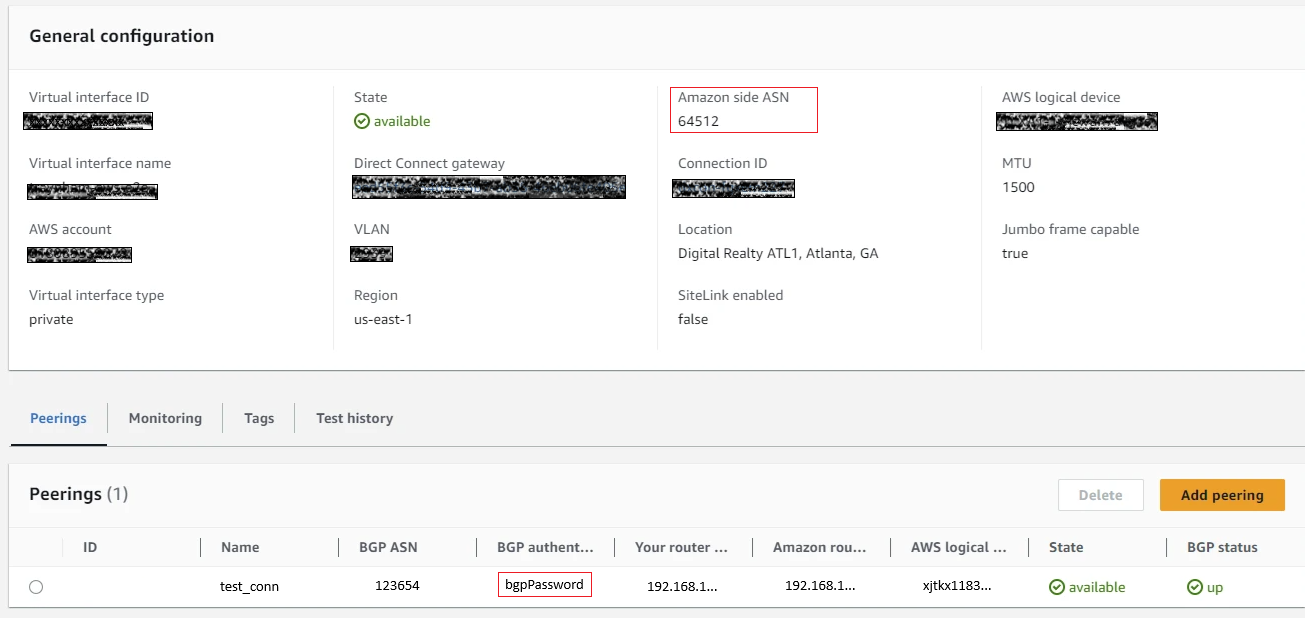
You will need:
- Gateway IP Address - an IP from your selected Interface
- BGP ASN from AWS - Input this value in the Gateway ASN field
- BGP Authentication Key from AWS - Input this in the Password field
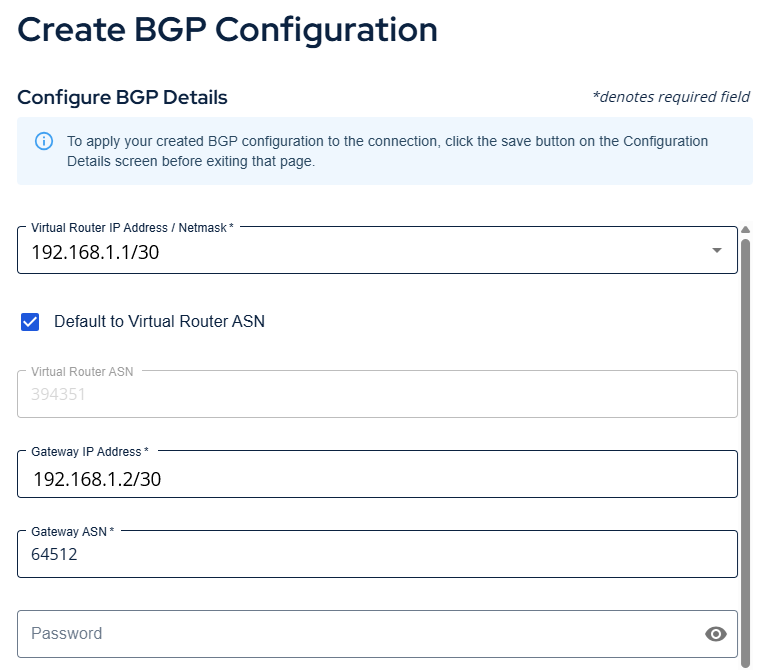
Note: You must enter your password exactly as it appears in the AWS Peerings section or else your session will not go live.
Azure, Google, Oracle, IBM Configuration#
In terms of configuration, these cloud service providers are similar. The general configuration steps are as follows:
- Cloud resources can be configured in advance of establishing the cloud connection in ServiceFabric.
- Where required, make sure you specify Digital Realty or one of our partners when configuring your cloud resources. This is how they route your requests properly to our network.
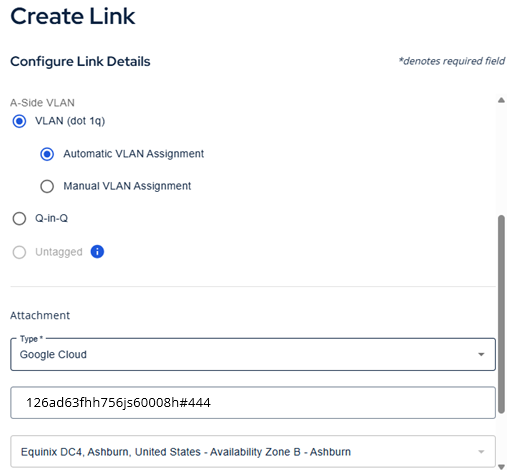
- These cloud service providers utilize a Service Key rather than an Account ID, and the Service Key enables you to select a peering location.
- Once the cloud connection is established, all existing cloud resources are available for use.
- The cloud connection can be deleted without having to modify or deconstruct the cloud resources. However, in some instances you may be required to remove your cloud assets before removing your ServiceFabric assets.
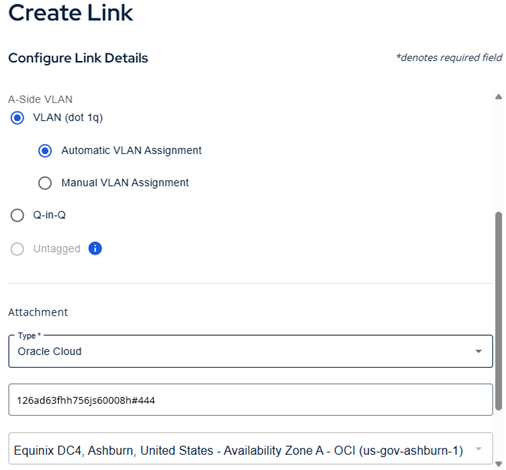
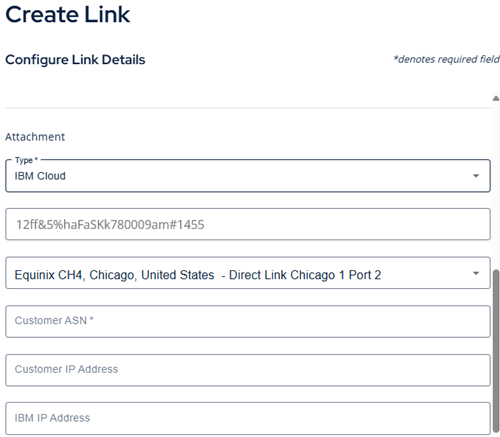
The following images show examples of attaching to Google Cloud, Microsoft Azure, Oracle Cloud, and IBM Cloud.
Google Cloud#
Oracle Cloud#
IBM Cloud#
Microsoft Azure#
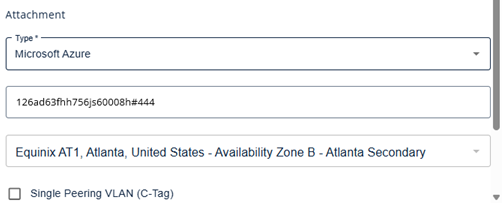
For more information on setting your Azure ExpressRoute, see the Azure VLAN Options section of the Advanced Routing topics.
Note: when using a Megaport connection with Azure, Q in Q VLAN tagging is enabled by default, your equipment must be configured to handle the S-tag appropriately.